Projects
Resume
About Me
Project Background
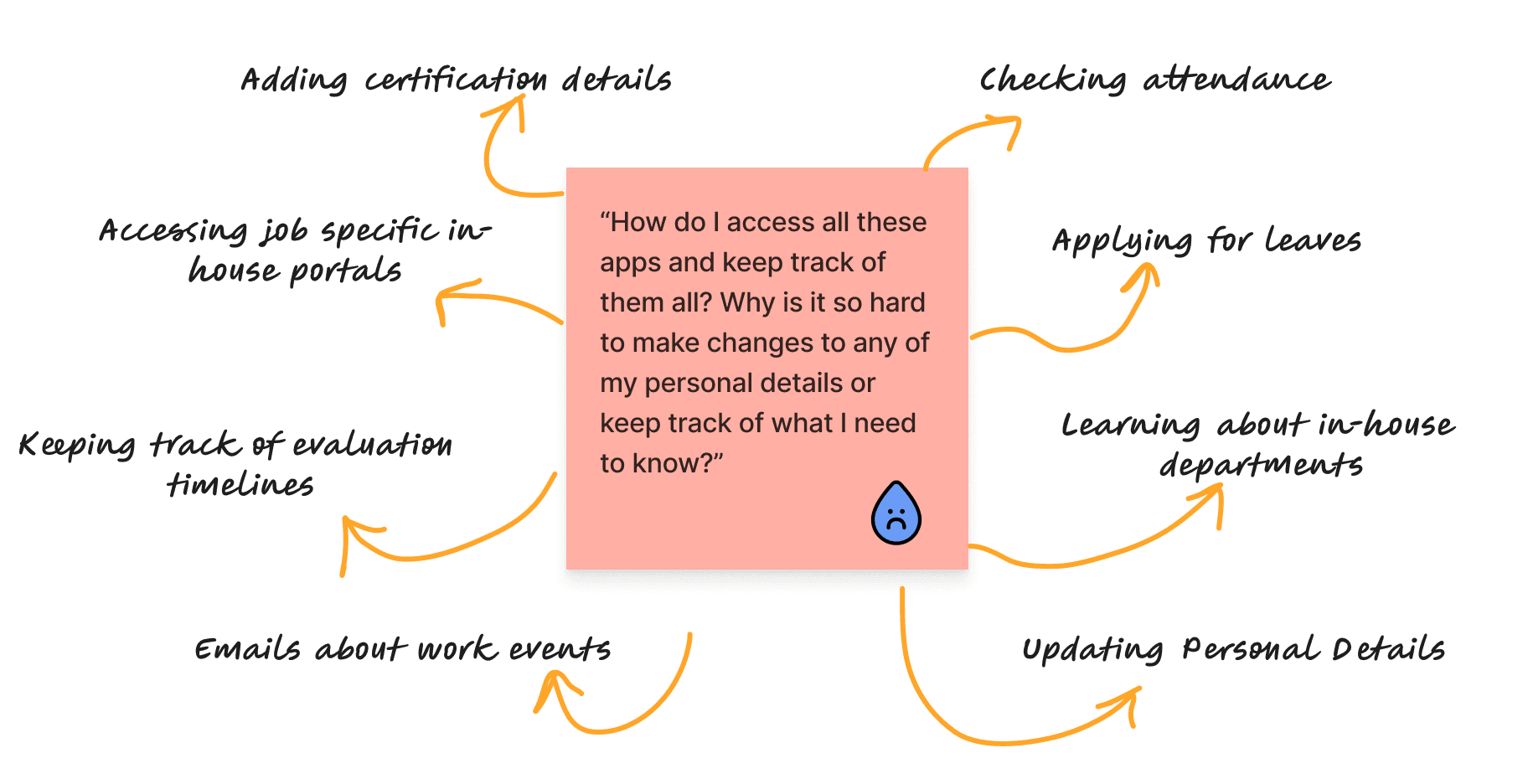
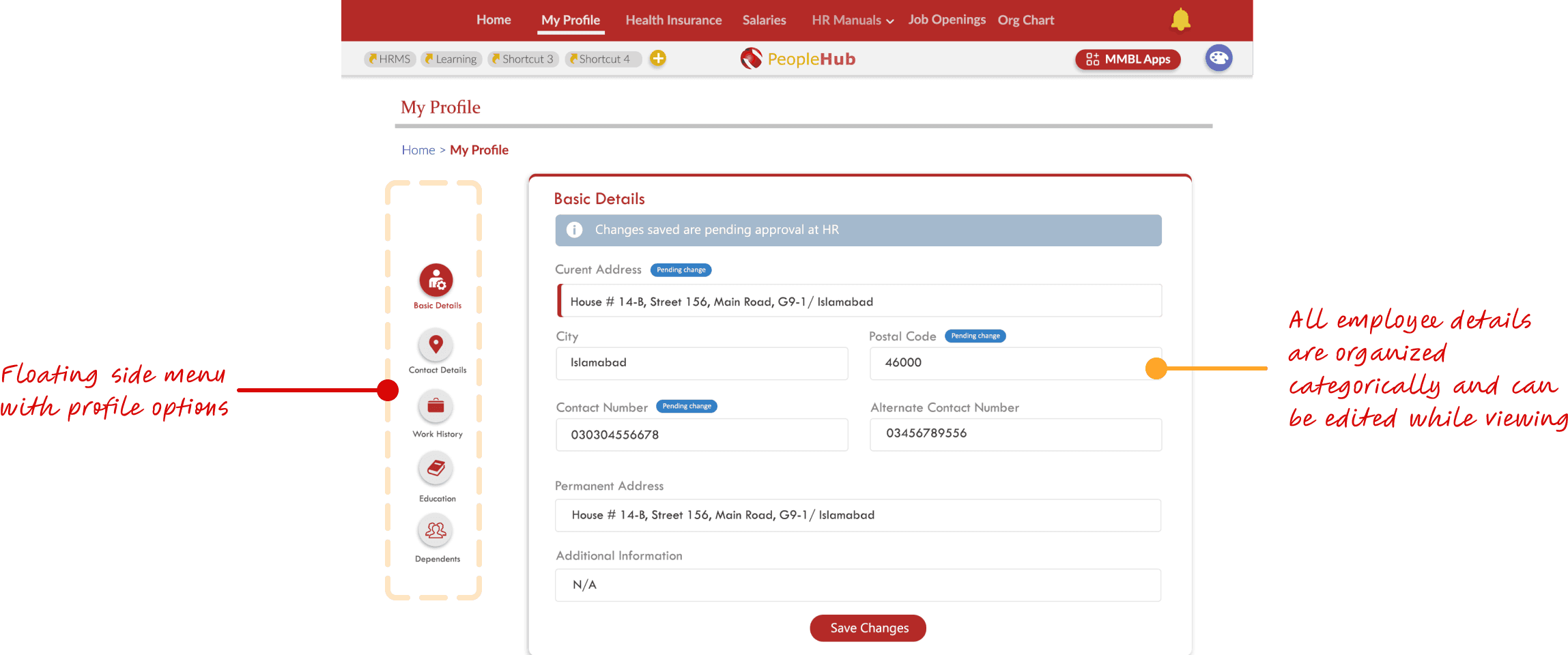
Since 2012, the HR processes related to employee self-service at the client company were done manually. The resources available to the employees such as user manuals and policies were not organized and there was no central interface for the admin staff to upload documents with ease. The existing digital portal was not organized in a way to facilitate the users and the scope of the solution did not keep in mind the sheer volume of documents and resources that were available for the employee base to access. A centralized solution was proposed to centralize all existing in-house applications under a single sign-on application and facilitated users in gaining access to the resources provided to them as well as digitizing the process of employee profile changes which would now be possible for the users themselves to update.
How can we centralize all the existing applications and make them easily accessible to employees at MMBL while maintaining a consistent design scheme and reducing the effort involved in finding relevant applications?
To better understand the existing practices in employee self service and HR platforms, I conducted a detailed competitive analysis to find the key factors that could be included in the solution we wanted to create. The key factors were categorized and highlighted to prioritize features that could be added and features that would improve the overall user journey and give a better, more seamless experience for the userbase.
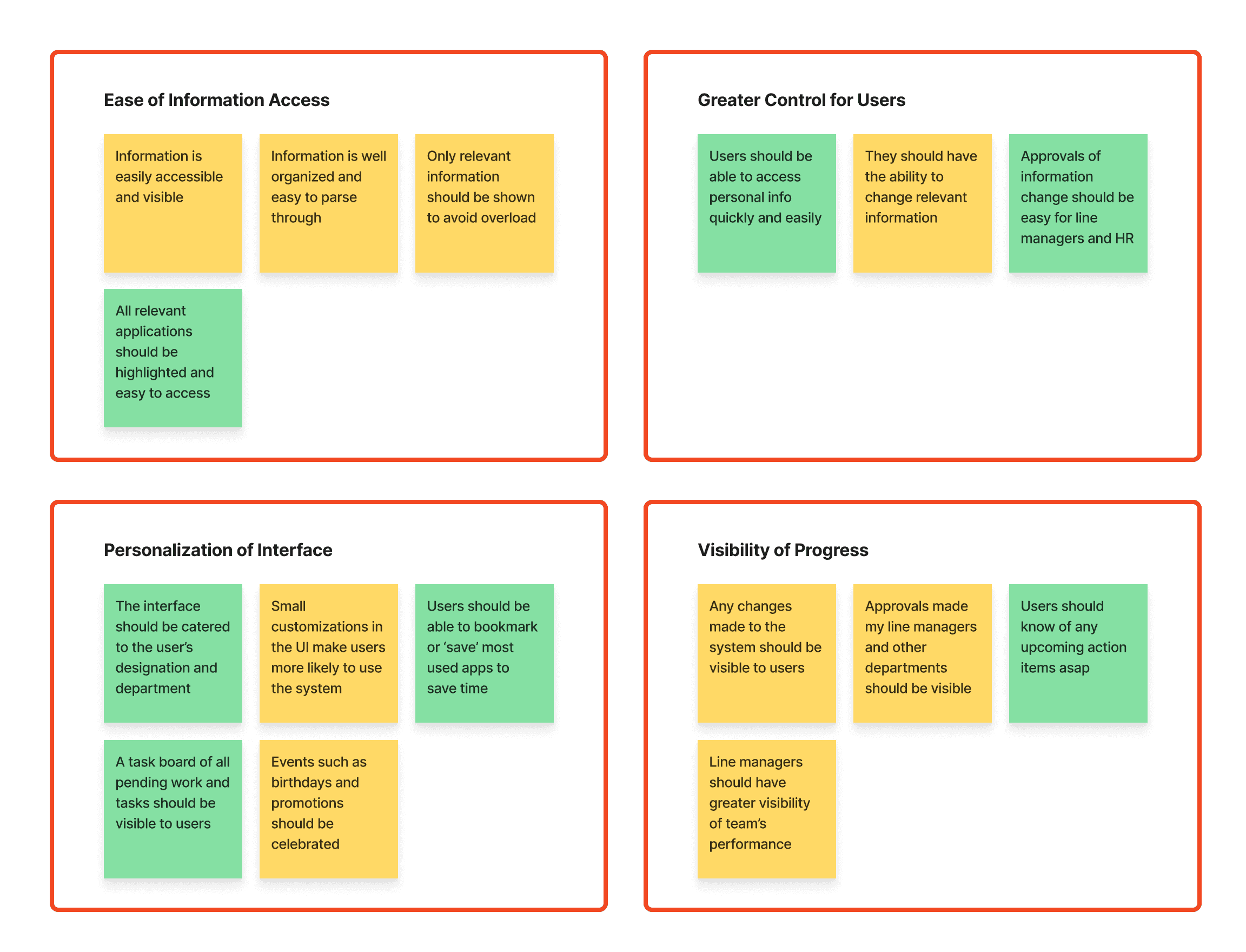
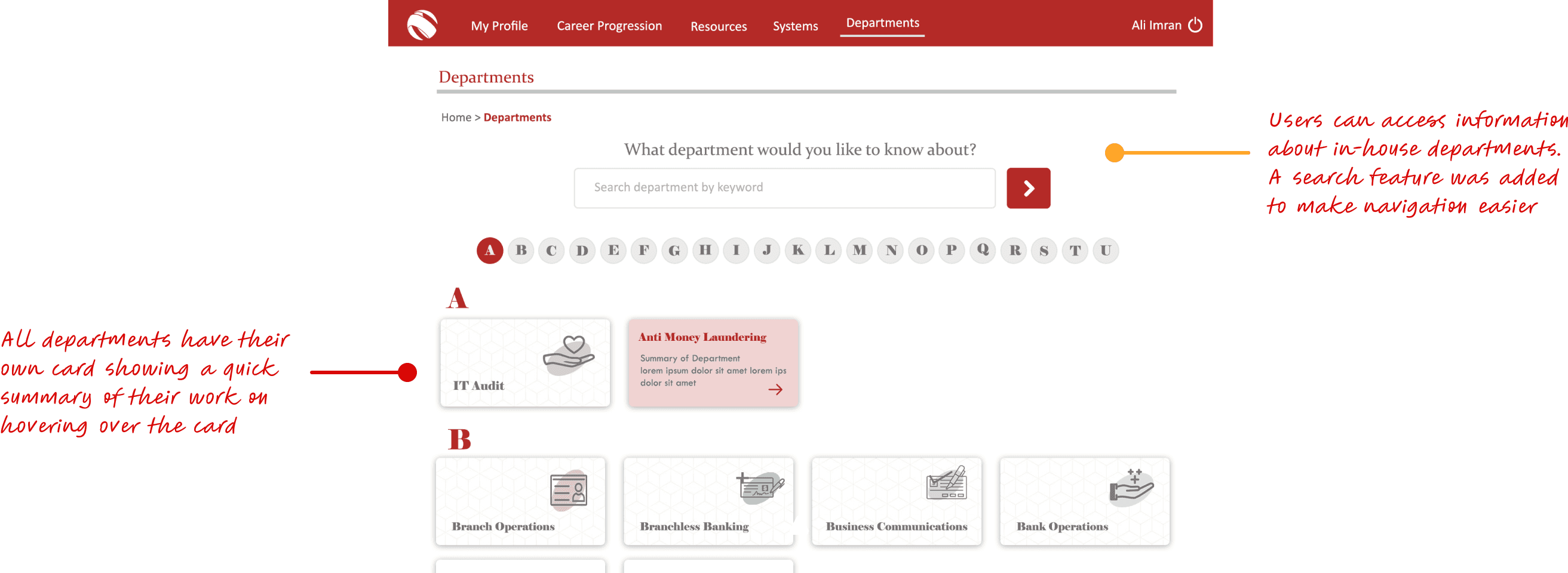
The solution scope requires well-organized navigation for all employee resources and user-relevant information
Care needs to be taken to make the design flexible, keeping in mind the future expansion of information and resources
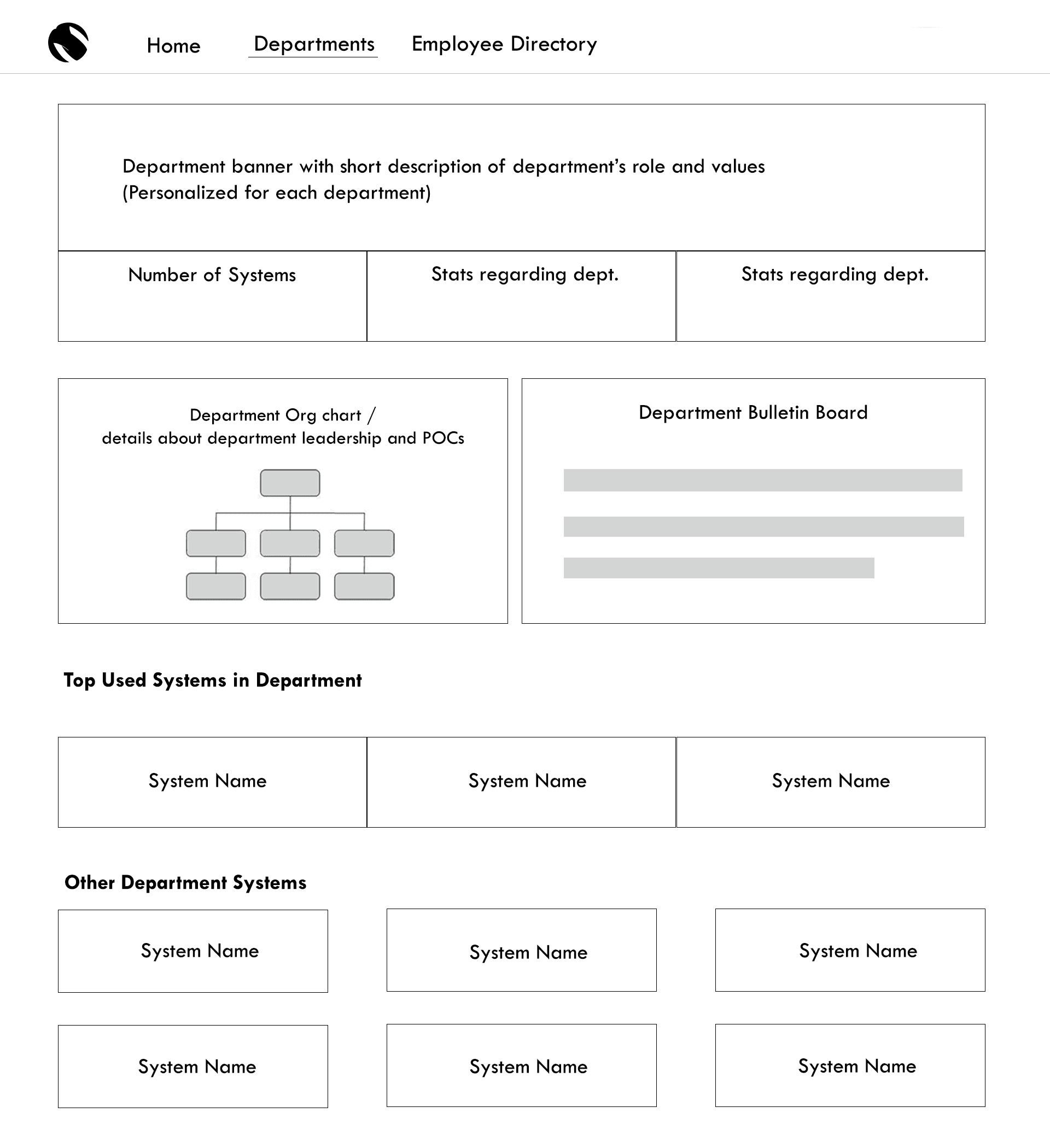
All in-house applications need to be accessible to the users in a well-structured location
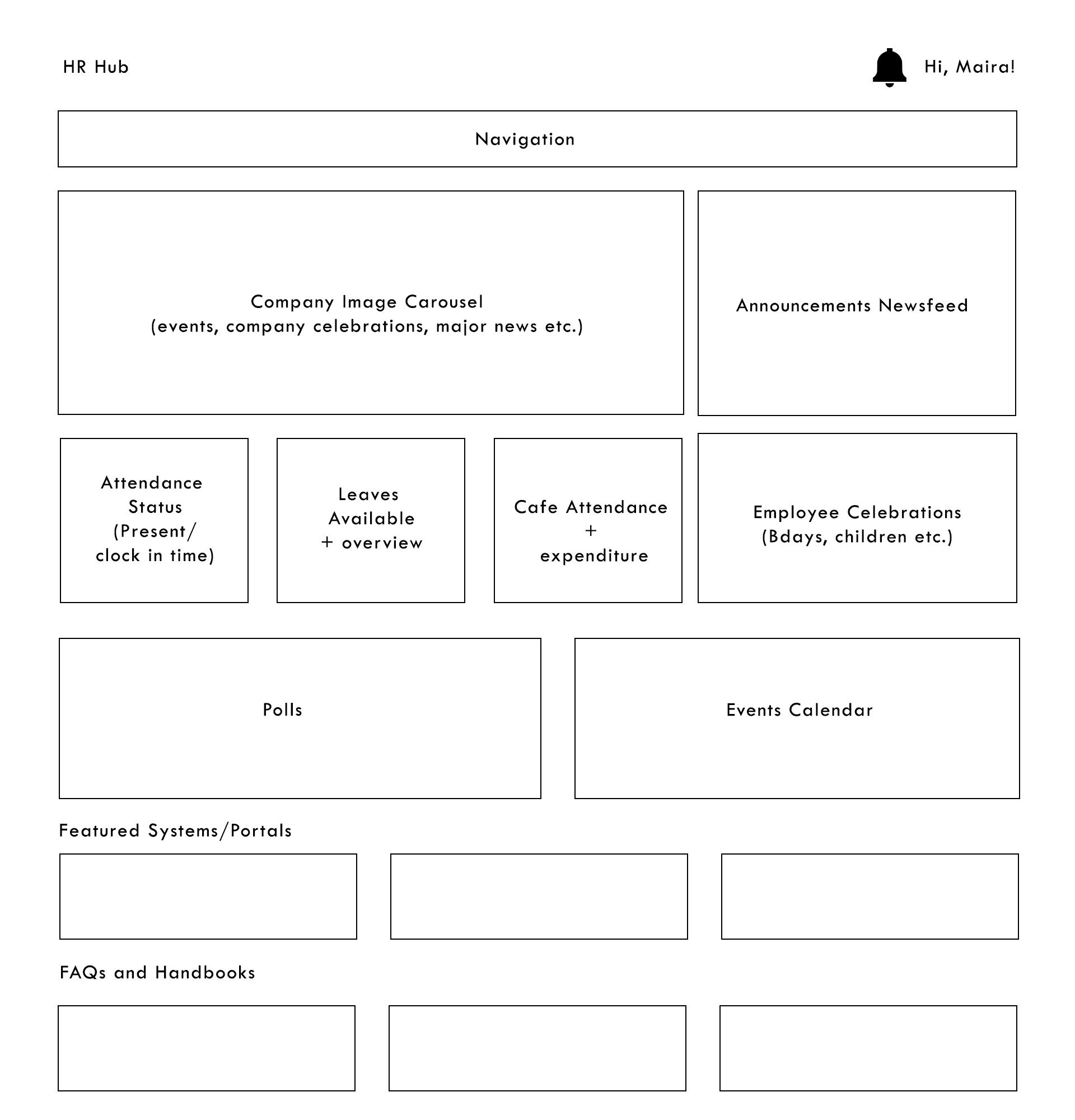
The need to incorporate a detailed dashboard containing employee-relevant information for greater personalization as well as increasing user interest and retention
The users consisted of a wide variety of ages, educational backgrounds, and cultural backgrounds and necessitated an easy-to-understand interfaces
Information Architecture
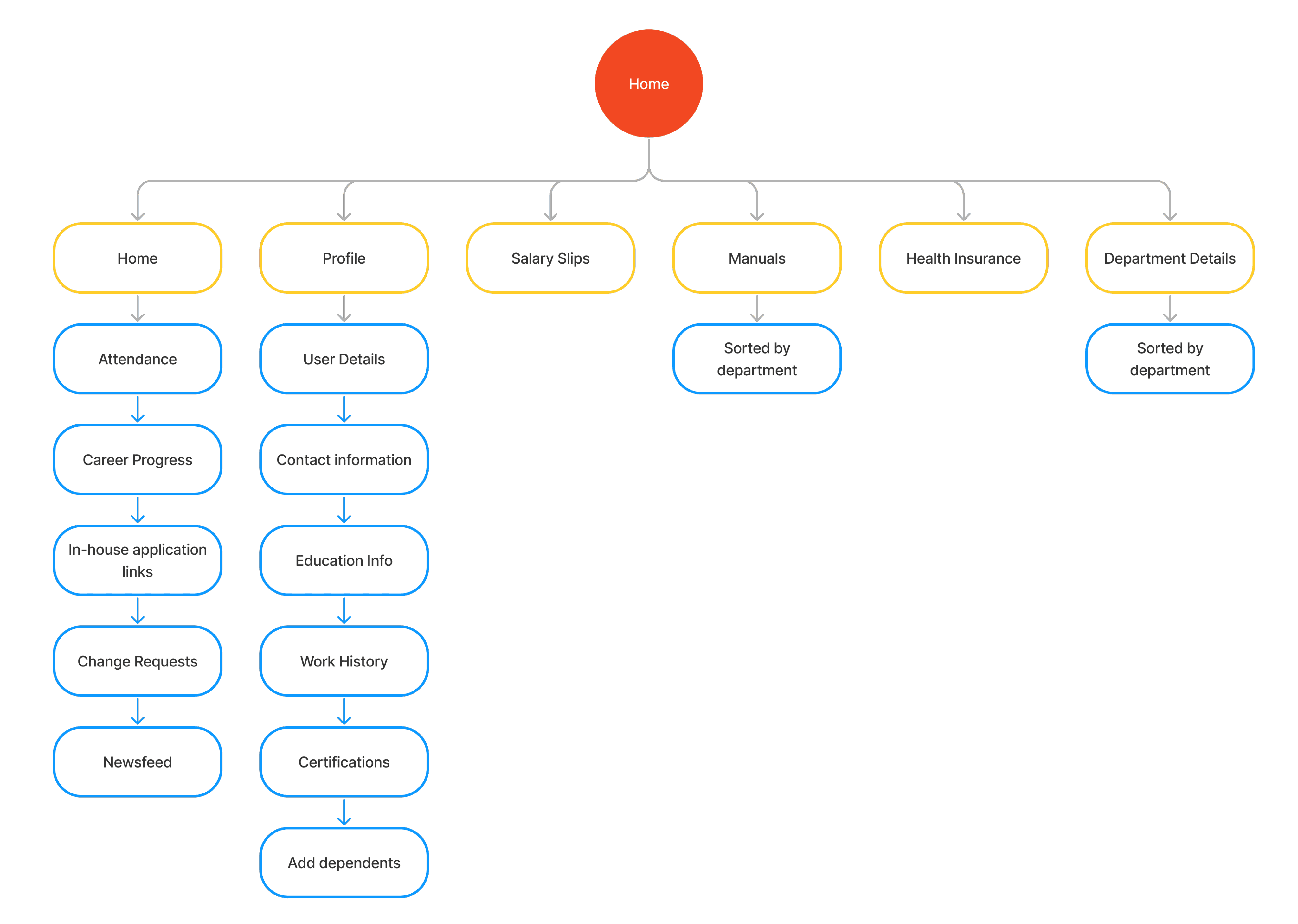
Once we had a clearer understanding of the basic needs of a good self-service portal, I created an information architecture sitemap to lay out all of the relevant content that needed to be added to the portal as well as organize it in a way that would be both instinctive and organic for the users to understand. Many of the features added in the sitemap were features that were an urgent need to add such as a profile section as well as tracking career progress because there was no way to update this information until this point.
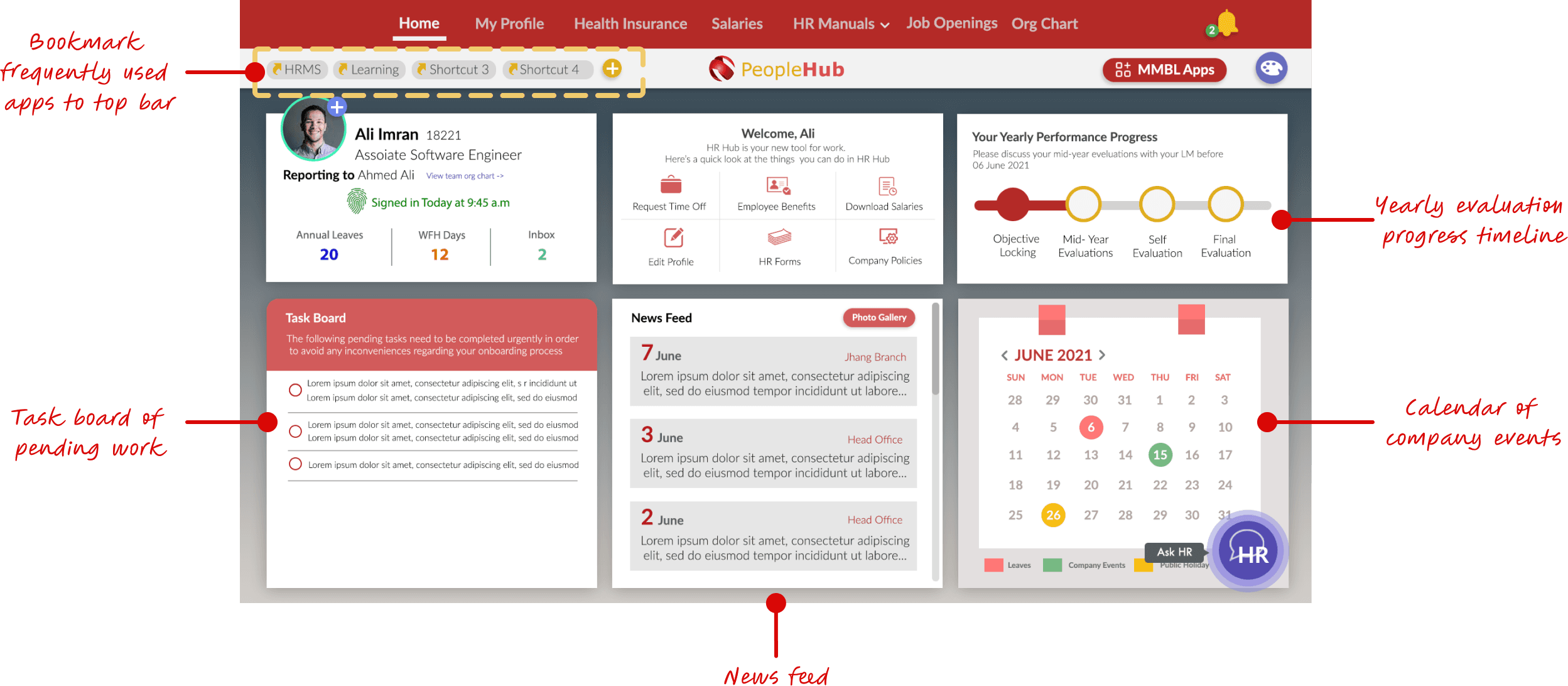
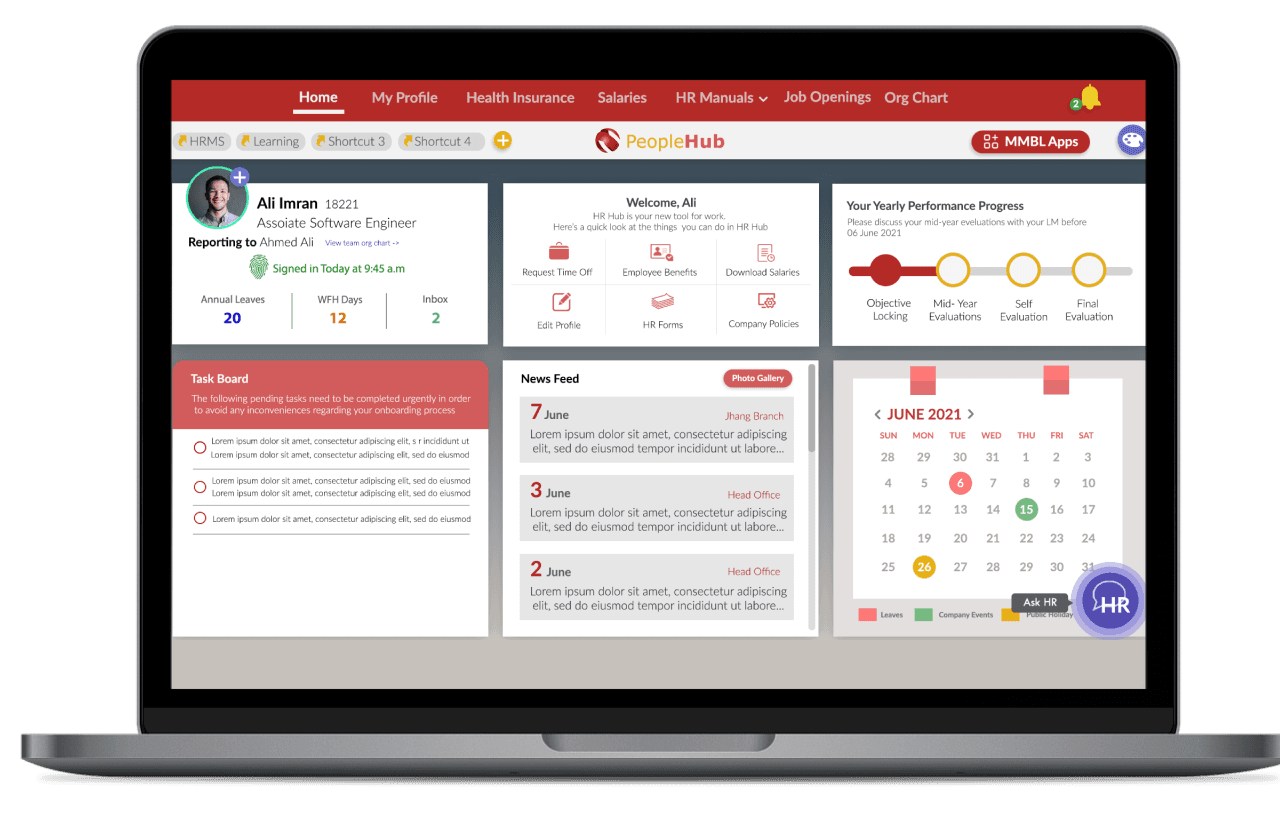
Centralized app widget that displays all commonly used applications in a grid
Latest requests and action items from commonly used apps to be shown on the home screen for easy access to information
Bringing Everything Together
Creating a unified design system
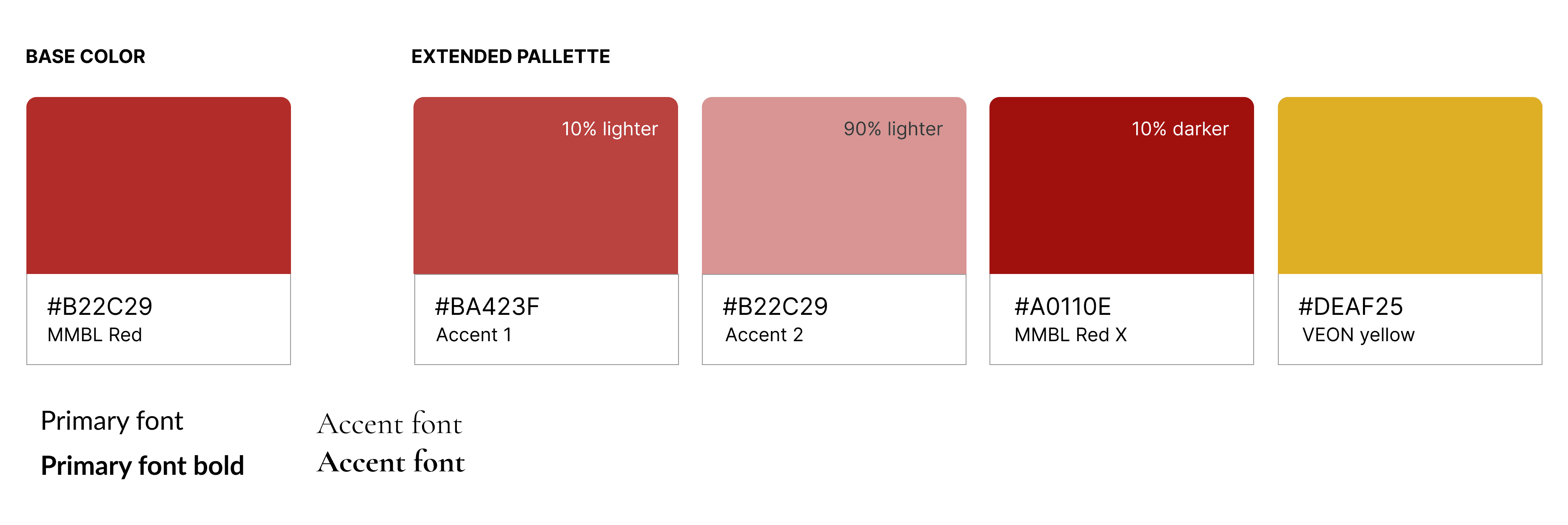
A key part of the design process was creating a design system that not only fit the branding of the company. spanning all its various sister company brandings as well but also making sure tat all existing applications could follow the design conventions as well. A detailed case study of the exact process and details that went into creating the design system can be found here.
Implementing single sign on to all existing applications
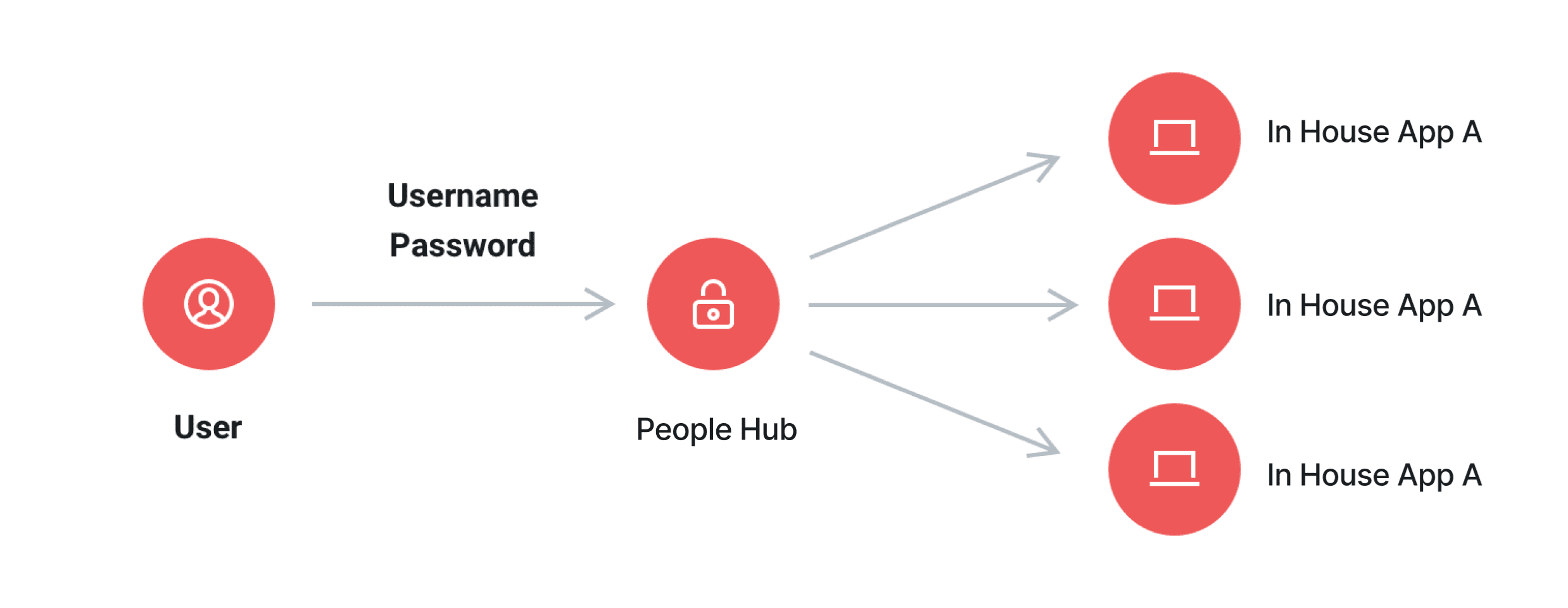
After considering the fact that the self-service portal is supposed to connect all the existing applications being used in house, we decided to implement single sign on (SSO) on all the applications connecting through this portal. This reinforces the portal as the central hub for all MMBL employees and also increases the use of use by allowing users to only sign in once to gain access to all relevant applications
Revamping all applications to new design system
Since all the in-house apps would be linked to People Hub, the UI and visual elements and branding needed to be consistent in order to enhance the feeling of interconnectivity and uniformity. This was another endeavor I conducted in parallel, by aligning all the major in-house apps and updating the UI elements to correspond to the new design system I had developed. Certain frameworks forth UI including Bootstrap and jQuery were also upgraded in the process to allow for an even more holistic and seamless experience when transitioning from app to app on the system.